

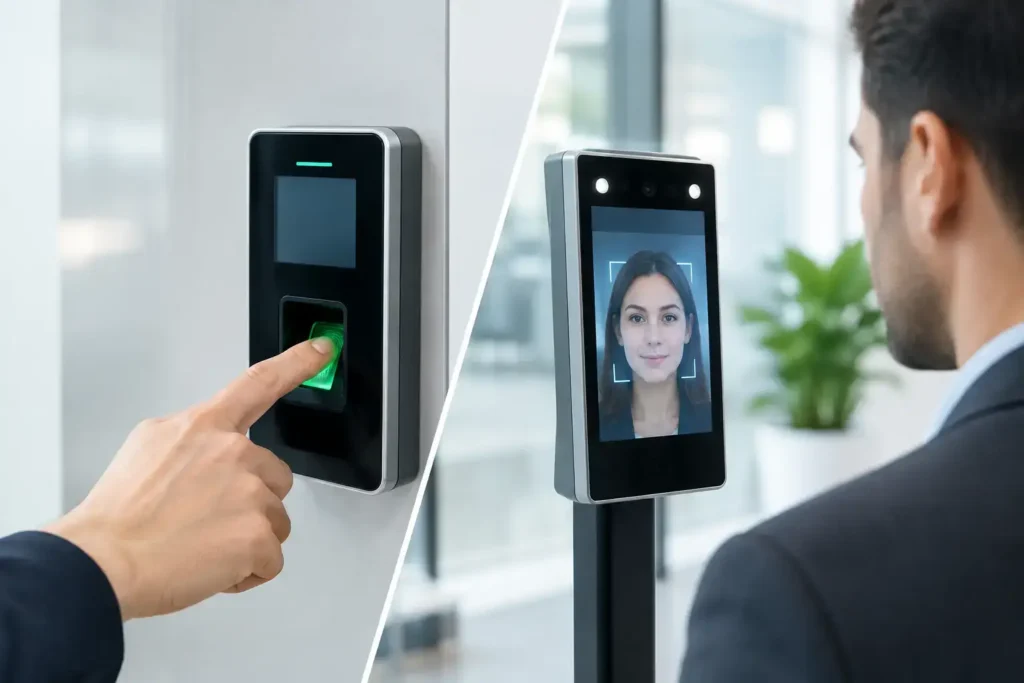
A busy staff entrance at shift change is where access control decisions become visible. If employees queue at a reader, cards are shared, or a reception team must manually verify visitors, security and operations both suffer. The biometric vs face recognition access control decision is not simply about choosing newer technology. It is about selecting the identification method that fits your risk level, user volume, site conditions, privacy duties, and approval requirements.
For commercial, industrial, retail, hospitality, and government facilities, the right system must do more than open a door. It must create reliable records, prevent unauthorized entry, support investigations, and operate consistently without delaying legitimate staff or visitors.
Biometric vs Face Recognition Access Control: The Key Difference
Biometric access control is the broader category. It verifies a person using a physical or behavioral characteristic, such as a fingerprint, palm vein pattern, iris, or face. Face recognition access control is one type of biometric system that identifies or verifies an individual through facial features captured by a camera.
This distinction matters during system design. A fingerprint reader, for example, requires intentional user interaction. The employee presents a finger to the reader, and the system compares the captured template against an enrolled template. A face recognition terminal can verify a person while they approach the entrance, often without touching the device.
Neither approach is automatically better. Face recognition is usually stronger for high-throughput, touch-free entry points. Fingerprint or palm-based systems can be a more controlled choice where close verification is needed and users can reasonably pause at the door.
How Each Method Performs at the Door
Access control performance should be measured against real operating conditions, not brochure claims. Consider employee traffic, lighting, uniforms, PPE, dust, moisture, visitor activity, and the consequences of a false acceptance or false rejection.
Fingerprint and Palm Biometrics
Fingerprint systems are familiar, cost-effective, and widely used for staff entrances, attendance tracking, restricted rooms, and smaller offices. They can provide strong individual verification when enrollment quality is good and the reader is properly maintained.
However, fingerprints can be difficult to capture in industrial environments. Workers with worn fingerprints, wet hands, gloves, grease, or dust may experience failed reads. This creates queues and encourages poor workarounds, such as leaving a door unlocked or asking security staff to override the system.
Palm recognition and palm vein technology can reduce some of these challenges. They are often less affected by surface damage than fingerprints, though device selection and enrollment quality remain critical. These systems are suitable for facilities that need a more deliberate, high-assurance verification process.
Face Recognition Access Control
Face recognition terminals offer a faster, contactless experience. They are effective at corporate entrances, lobbies, labor accommodation entry points, turnstiles, logistics offices, and locations where many employees arrive within a short period.
Modern terminals can include liveness detection to reduce spoofing attempts using printed photos, mobile screens, or video playback. Higher-grade devices may also manage variable lighting and verify users wearing glasses or certain types of headwear. Performance still depends on correct camera height, approach angle, lighting, network stability, and enrollment images.
Face recognition is not ideal when workers consistently wear masks, full-face PPE, welding shields, or coverings that obscure key facial features. In these environments, a card, PIN, fingerprint, or palm credential may be a necessary backup rather than an afterthought.
Security Is More Than the Reader
A biometric reader can improve identity verification, but it cannot secure a poorly designed entrance. Tailgating, forced doors, unsecured emergency exits, weak visitor procedures, and unmonitored door alarms can undermine even the most advanced credential technology.
For higher-risk areas, the best design often combines methods. A staff member may use facial verification at a turnstile, while a data room or cash-handling room requires face recognition plus a card or PIN. This is known as multi-factor authentication. It raises assurance because entry depends on more than one credential.
The access control panel, door lock, request-to-exit device, emergency break glass, fire alarm interface, and CCTV coverage must also work as one system. If a door is forced open, the system should record the event, alert the relevant team, and provide usable video evidence. That is the difference between installing devices and delivering a security operation.
Privacy and Data Handling Need a Defined Plan
Biometric data requires greater care than a standard access card number. A lost card can be canceled and replaced. A person cannot replace their fingerprint or face. Organizations should therefore establish clear rules before enrollment begins.
The system should store biometric templates rather than unnecessary raw images wherever possible. Access to enrollment and reporting functions should be restricted to authorized administrators, with strong passwords, role-based permissions, audit trails, and defined data retention periods. Biometric records should be removed when an employee leaves, subject to legal, contractual, and operational retention requirements.
Employees and visitors need clear communication about why biometric data is collected, how it is used, who can access it, and how long it is retained. For multinational organizations, healthcare sites, schools, and facilities managing sensitive information, legal and HR review should be part of the project process.
In the UAE, requirements may also vary by site type, authority, and project scope. Access control should be considered alongside applicable security design, surveillance, and authority approval requirements. A system that functions technically but conflicts with a project’s compliance obligations can cause avoidable delays.
Choosing the Right System for Your Facility
The appropriate choice depends on the operating environment and the level of assurance required. A small office with stable staffing may benefit from fingerprint access control because it is straightforward and economical. A commercial tower or warehouse with large shift changes may gain more from face recognition at main employee entrances because it reduces congestion and avoids shared touchpoints.
For industrial facilities, test the technology where it will actually be used. Dust, heat, direct sunlight, safety helmets, gloves, and worker movement patterns can change performance significantly. A device that performs well in a showroom may not perform reliably at a loading bay.
For sensitive rooms, do not rely on convenience alone. Use a layered approach with appropriately rated locks, door monitoring, CCTV coverage, anti-passback rules where needed, and a backup method for failed biometric reads. Every site should also have a documented procedure for emergencies, system outages, and users whose biometrics cannot be enrolled successfully.
Questions to Ask Before Approval
Before selecting equipment, facility managers should confirm the expected number of users, peak entry periods, door types, required integrations, network availability, and the need for attendance reporting. They should also define what happens when a user is denied, when a door remains open, or when the controller loses communication.
The supplier should conduct a site survey and provide a design that addresses mounting positions, cable routes, power backup, door hardware compatibility, fire safety interfaces, and future expansion. For regulated projects, compliance should be checked during design, not after equipment has been installed.
Installation Quality Determines Long-Term Results
Many biometric access issues are installation issues in disguise. A face terminal mounted too high, exposed to glare, or placed beside an uncontrolled entrance will produce inconsistent results. A fingerprint reader paired with the wrong lock, unstable power supply, or poor network configuration can create recurring failures that staff quickly lose confidence in.
ALNAJAH ALAWAL SECURITY SYSTEMS & EQUIPMENT TRADING L.L.C. approaches access control as part of a complete security and ELV environment. This includes site assessment, system design, equipment supply, installation, testing, commissioning, user training, and maintenance planning. For projects in Dubai, Abu Dhabi, and Sharjah, this approach also helps clients address security and authority requirements early, reducing the risk of rework or approval delays.
A properly commissioned system should include accurate user enrollment, tested emergency release functions, clear administrator permissions, event reporting, and documented handover. Staff should know how to enroll users, revoke access, generate reports, and respond when a credential fails.
Make the Choice Based on Operations, Not Hype
Face recognition offers speed and contactless convenience. Other biometric methods can provide deliberate, controlled verification for specific doors and user groups. The strongest answer may be a combination of technologies, designed around the real behavior of people moving through your facility.
Start with the doors that create the greatest operational or security risk, then select the credential method that people can use reliably every day. A well-surveyed, properly installed, and carefully managed access control system keeps entry moving, creates accountability, and gives your facility team control when it matters.