

A camera that records a blurred loading bay, an access door that fails to lock after hours, or a recorder with no available storage can turn a minor technical issue into a serious operational exposure. A commercial security maintenance checklist gives facility teams a clear way to identify these failures before they affect safety, evidence, compliance, or business continuity.
For commercial sites in the UAE, maintenance is not simply about keeping equipment switched on. CCTV, access control, intercoms, intrusion alarms, network hardware, and backup power must work as a connected system. They must also remain aligned with the approved design, retention requirements, and authority expectations applicable to the site.
Why Security Maintenance Cannot Be Reactive
Reactive repairs cost more because the problem is usually discovered at the worst possible time: after an incident, during an inspection, or when a tenant, customer, or staff member reports a failure. By then, footage may be missing, access events may be incomplete, and a repair may require urgent replacement rather than planned service.
A disciplined maintenance program protects four areas at once: operational uptime, evidential quality, regulatory readiness, and equipment life. It also gives management a record showing that the site is actively controlling security risks rather than relying on assumptions.
The right schedule depends on the site. A jewelry store, fuel facility, warehouse with 24-hour loading activity, or labor accommodation site may need more frequent checks than a low-traffic office. Dust, heat, vibration, outdoor exposure, and high user turnover can all shorten the interval between inspections.
Commercial Security Maintenance Checklist: Daily and Weekly Checks
Daily checks should be quick and owned by the person responsible for site operations or security. The objective is to identify visible failures early, not to replace technical servicing.
Confirm that the CCTV monitoring screen or video management system is online and that priority cameras are displaying a live image. Check cameras covering entrances, cash points, loading docks, server rooms, perimeter gates, and other critical zones. Look for black screens, excessive glare, poor nighttime images, shifted camera views, or warning messages.
Review access control exceptions. Doors that remain held open, repeatedly deny authorized users, or release without valid credentials need immediate attention. Confirm that emergency exits are not obstructed and that door closers, magnetic locks, and request-to-exit devices appear to operate normally.
Weekly, review a sample of recorded video from different cameras and time periods. Live video alone does not prove that recording is working. Verify date and time accuracy, image clarity, playback quality, and continuous or event-based recording according to the system design.
Also review alarm and system health notifications. Repeated storage alerts, camera disconnections, network interruptions, low battery warnings, or controller faults should be logged and assigned for action. Clearing alerts without resolving their cause creates a false sense of security.
Monthly Inspection of CCTV, Access Control, and ELV Equipment
A monthly inspection should be more structured and documented. It is the point at which a trained technician or qualified maintenance provider verifies the condition of the physical system and its supporting infrastructure.
CCTV Surveillance
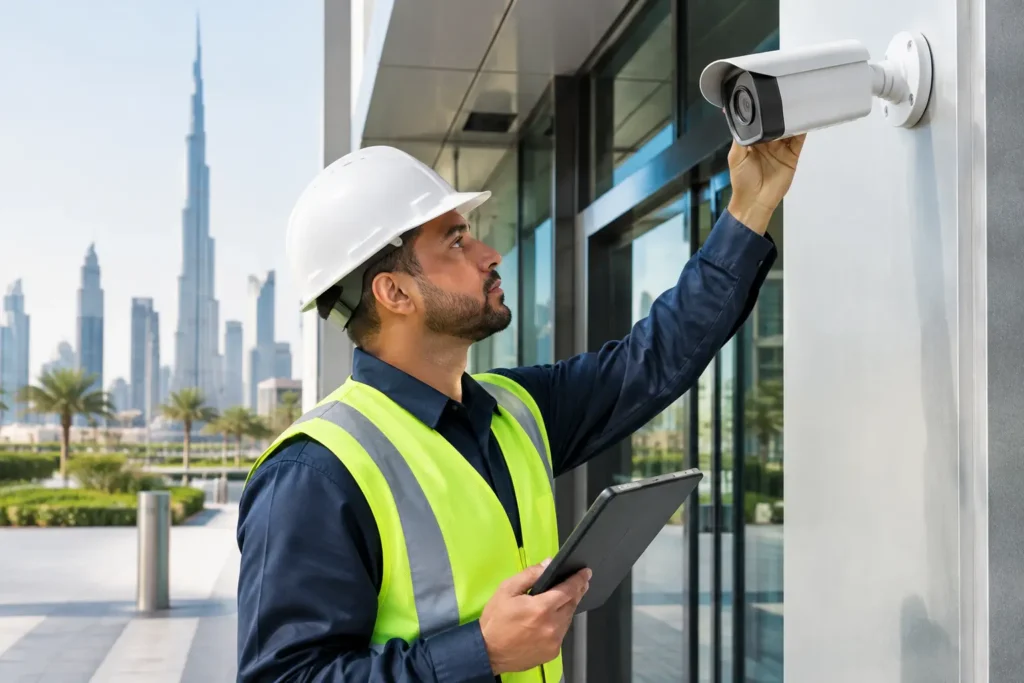
Inspect camera housings, brackets, conduits, junction boxes, and visible cabling for damage, tampering, corrosion, water ingress, or loose fittings. Clean lenses and housings using suitable materials. In dusty industrial or construction environments, this task may be required more often.
Test camera positioning against the approved coverage plan. A camera can be online yet fail its purpose because a shelf, sign, vehicle route, or landscape growth now blocks its view. Check day and night performance, infrared operation where installed, wide dynamic range in high-contrast entrances, and identification quality at key access points.
Confirm recorder and storage health. Review disk status, available capacity, retention duration, recording schedules, and overwrite behavior. Retention is not a one-time setup item. Changes to resolution, frame rate, camera count, or recording mode can reduce actual storage duration without anyone noticing.
Access Control and Door Hardware
Test a representative sample of cards, readers, biometric devices, door contacts, locks, emergency release devices, and intercom stations. Verify that access permissions reflect current employees, contractors, tenants, and restricted areas. Former staff and expired temporary credentials should be removed promptly.
Inspect physical door operation as carefully as the software. A reader cannot compensate for a misaligned door, weak closer, damaged strike plate, or lock that does not engage fully. Coordinate maintenance with life-safety requirements so that fire exits and emergency egress remain compliant at all times.
Network, Power, and Backup Systems
Security systems depend on network switches, cabling, power supplies, uninterruptible power supplies, and sometimes fiber links or wireless bridges. Check equipment cabinets for heat, dust buildup, unauthorized connections, damaged patch cords, and adequate labeling.
Test backup power in a controlled manner. Confirm that recorders, controllers, critical switches, and relevant cameras remain operational for the expected period during a power interruption. Battery condition matters in the UAE climate, where heat can reduce battery performance and service life.
Quarterly and Annual Tasks That Protect Compliance
Quarterly maintenance should include a deeper review of system performance and documentation. Compare active devices with the approved drawings, camera schedules, and equipment inventory. Unapproved moves, additions, or removals can create blind spots and complicate future inspections or maintenance.
Review user roles for the video management system and access control platform. Limit administrator access, remove inactive accounts, and confirm that passwords, audit logs, and remote-access settings follow the business’s security policy. Remote viewing is valuable for management, but it must not create unnecessary exposure through shared credentials or unsecured devices.
At least annually, arrange a full preventive maintenance visit and compliance review. This should include inspection of every critical device, recording verification, storage calculations, firmware assessment, cable and cabinet condition, backup power tests, and an update to service records. If the facility has expanded, changed operations, or introduced high-value assets, reassess camera coverage and access zoning rather than assuming the original design is still sufficient.
For sites subject to SIRA, Abu Dhabi, or Sharjah requirements, keep maintenance reports, drawings, approvals, device records, and corrective-action logs organized. Requirements differ by authority and project type. The practical standard is simple: be ready to demonstrate that the approved system remains operational, properly maintained, and fit for its intended coverage.
What to Record After Every Maintenance Visit
Maintenance without records is difficult to verify and harder to defend during an audit or incident review. Each service visit should produce a clear report that identifies the date, technician, site area, devices inspected, tests performed, faults found, corrective actions, and any parts replaced.
Include before-and-after images when camera views, door hardware, cabling, or equipment cabinets have been repaired. Record actual retention results rather than writing only that storage was checked. If a fault cannot be resolved immediately, assign an owner, target date, risk level, and temporary control.
This documentation helps facility managers make informed replacement decisions. A camera with repeated image faults, a recorder approaching storage limits, or a door controller with recurring communication loss may cost less to replace on a planned basis than to repair repeatedly under urgent conditions.
Common Gaps That Put Commercial Sites at Risk
The most common gap is assuming that a green status icon means a system is working correctly. It may confirm connectivity, but it does not confirm that the camera view is useful, the recorder is retaining footage, or the access door is physically secure.
Another gap is treating security maintenance as separate from operations. A warehouse layout change, a new retail display, construction activity, or a changed vehicle route can undermine coverage immediately. Security should be reviewed whenever the site changes, not only when equipment fails.
Finally, avoid using unqualified personnel for configuration changes that affect approved security designs. Small edits to recording settings, camera angles, network addresses, or access permissions can have wider consequences. Use a qualified provider that understands both the technology and the compliance framework governing the facility.
Put the Checklist Into a Working Service Plan
Assign clear ownership for daily checks, schedule monthly technical inspections, and ensure management receives a concise report on open faults and corrective actions. Critical defects should have response times based on risk: a failed perimeter camera or unsecured server-room door cannot wait for the next routine visit.
ALNAJAH ALAWAL supports commercial sites with planned maintenance for CCTV, access control, ELV, and compliance-driven security systems. A structured service plan helps keep equipment operational, documentation current, and corrective work controlled.
Stay compliant. Stay protected. The value of maintenance is proven long before an incident occurs – when the footage is clear, the door is secure, and the system performs exactly as designed.