

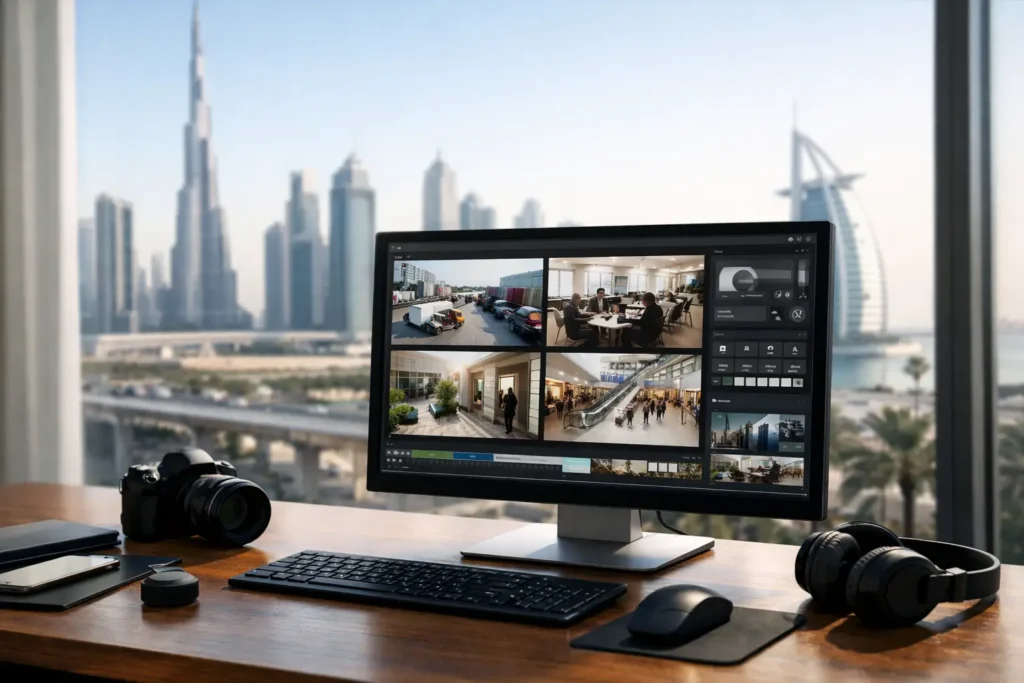
A camera system can look complete on a drawing, pass video to a monitor, and still fail when an incident occurs. The usual reason is not the camera. It is the platform managing the footage. A proper video management software review examines whether operators can find the right recording, control access, preserve evidence, and maintain the system without creating compliance or operational risk.
For warehouses, retail sites, industrial facilities, hotels, labor accommodations, and commercial buildings, video management software, or VMS, is the operating layer behind CCTV. It determines how footage is recorded, searched, viewed, exported, retained, and audited. Choosing it on price alone is a costly mistake, especially where authority approval, multi-site supervision, or long retention periods are involved.
What Video Management Software Must Deliver
VMS is not simply an application for viewing live camera feeds. It is the central control point for cameras, recording servers, storage, user permissions, alarms, and evidence exports. The right platform should support the security plan for the facility, not force the facility to work around software limitations.
At a small shop, a simple recorder interface may be sufficient. At a warehouse with loading bays, perimeter cameras, cash handling areas, and several authorized users, the requirements become more demanding. Operators need to locate a specific event quickly. Management needs confidence that recordings are retained. IT teams need controlled access and predictable network use. Facility managers need a system that remains functional as the site expands.
The best choice depends on the size of the site, number of cameras, retention requirement, risk level, available bandwidth, and applicable local authority requirements. A system that works well for 16 cameras may become difficult to manage at 150 cameras across several locations.
Video Management Software Review: The Core Criteria
Recording, retention, and evidence quality
Start with recording rules. The VMS should allow different recording settings for different areas. A high-risk entrance, jewelry display, loading bay, or fuel storage area may require continuous recording at higher detail. A low-risk corridor may be suitable for motion-based recording if permitted by the project requirements.
Retention must be calculated, not assumed. Camera resolution, frame rate, compression method, activity level, and recording schedule all affect storage consumption. A VMS may show an estimated number of retention days, but the design should be validated against real camera settings and expected scene activity. Motion-heavy areas such as gates and loading docks often consume more storage than initial estimates suggest.
Evidence export is equally important. The software should produce clear, time-stamped clips with camera identification and appropriate verification options. If footage is needed for an investigation, a poorly handled export can create doubt about what was captured or whether it was altered. Test this process before handover, including playback on an authorized external device when required.
Fast search and incident response
During an incident, nobody benefits from scrolling through eight hours of video. A capable VMS provides timeline search, camera grouping, bookmarks, digital zoom, synchronized playback, and event filtering. These functions reduce response time when an operator needs to identify a vehicle entering a gate, trace a missing asset, or review an alarm activation.
Analytics can improve search speed, but they should be assessed realistically. Motion detection, line crossing, intrusion detection, people counting, and vehicle classification can be useful. Their accuracy depends on camera placement, lighting, scene complexity, and configuration. Analytics are not a substitute for correct camera coverage or trained operators.
For sites with vehicle traffic, the VMS should also support practical investigation workflows. An operator may need to review a gate camera, a yard overview camera, and a loading-bay camera in sequence. Camera maps, linked views, and logical naming conventions make that process faster and reduce operator error.
User permissions and audit trails
Not every employee should have the same level of access. Reception staff may need live views of entrances. Security supervisors may need playback and export rights. Management may need selected remote viewing. System administrators need configuration access, but that access must be controlled.
The VMS should use role-based permissions that define who can view, search, export, delete, configure, or administer footage. It should also maintain audit logs for critical actions. These logs show who accessed footage, who exported it, and who changed key settings. This matters for internal accountability and helps protect sensitive recordings from misuse.
Remote access requires the same discipline. Convenience is valuable, but open remote access creates risk. Use approved user accounts, strong passwords, appropriate network segmentation, and multi-factor authentication where available. Avoid sharing a single administrator login among multiple staff members.
Reliability, cyber protection, and system health
A VMS must alert the right people when something stops working. Camera offline notifications, storage warnings, recording failures, server health alerts, and network loss alerts should be configured and tested. A camera that appears online but has not been recording is a serious operational failure.
Consider resilience at the design stage. For larger or high-risk facilities, this may include server redundancy, failover recording, RAID storage, uninterruptible power supply protection, and backup procedures. These measures add cost, but the trade-off is reduced exposure when hardware, power, or network components fail.
Cybersecurity also requires attention. Keep firmware and VMS software current under a controlled maintenance process. Change default credentials. Separate CCTV networks where the design calls for it. Disable unused services and accounts. A connected camera system is part of the site’s wider technology environment, not an isolated security tool.
Compliance Should Shape the VMS Design
In Dubai, Abu Dhabi, and Sharjah, CCTV projects may be subject to requirements from the relevant security authority, building stakeholders, or project consultant. Requirements can differ by site type, risk category, and authority jurisdiction. The VMS must support the approved CCTV design rather than become a weak point after installation.
This includes practical details such as camera naming, recording continuity, timestamp accuracy, retention capacity, user access control, health monitoring, and the ability to retrieve footage when requested. Approval requirements should be confirmed during the survey and design process, not after equipment has been installed.
A common mistake is selecting a low-cost platform first and checking compliance later. That approach can lead to replacement hardware, redesign work, delayed inspections, and interrupted operations. The better approach is to align the VMS, cameras, storage, network, and documentation from the start.
ALNAJAH ALAWAL SECURITY SYSTEMS & EQUIPMENT TRADING L.L.C. applies this compliance-led approach across CCTV projects, coordinating system design, installation, testing, commissioning, and approval support as one accountable scope.
Cloud, On-Premises, or Hybrid VMS?
There is no single correct deployment model. An on-premises VMS gives the organization direct control over recording servers and local storage. It can suit facilities with many cameras, strict retention needs, limited upload bandwidth, or policies that favor local infrastructure. It also requires space, power protection, maintenance, and competent support.
Cloud-managed VMS can simplify remote access and reduce on-site server requirements. It may be attractive for distributed retail branches, small offices, or organizations that want centralized oversight. However, recurring subscription costs, internet dependency, upload capacity, and data handling requirements must be reviewed carefully.
A hybrid design can combine local recording with centralized monitoring or cloud-based management. This often works well for multi-site operations, but only when bandwidth and failover behavior are properly tested. Do not assume every camera can continuously upload high-resolution footage without affecting network performance or monthly costs.
Questions to Ask Before Approval
Before selecting a VMS, ask the contractor or supplier to demonstrate the actual workflow, not only show a product brochure. The following checks are particularly useful:
- Can an operator find and export a specific incident from multiple cameras in minutes?
- Does the calculated storage meet the required retention period using the final camera settings?
- Are user roles, audit logs, and remote access controls configured for the facility’s real staff structure?
- What happens if a server, hard drive, camera, network link, or power source fails?
- Can the platform expand without replacing the entire system?
- Does the proposed design align with the applicable approval and documentation requirements?
Request a clear scope showing licenses, server specifications, storage capacity, camera compatibility, warranty coverage, training, and maintenance responsibilities. Software licensing can be confusing, particularly where licenses are charged per camera, per server, per feature, or annually. A lower initial quote may carry higher long-term costs if key functions require additional licenses later.
Installation and Training Are Part of the Decision
Even excellent VMS software performs poorly when it is configured without discipline. Camera names should reflect actual locations. User roles should match job responsibilities. Event rules should be meaningful enough that staff do not ignore alerts. Recording settings must match the storage calculation, and every critical camera should be tested for live view, playback, export, and time synchronization.
Training should focus on the people who will use the system under pressure. Security teams need incident search and export procedures. Supervisors need to understand permissions and reporting. Facility managers need a simple escalation path for faults. The goal is not to make every user a system administrator. It is to ensure the right person can take the right action without delay.
Choose a platform that gives your facility control, produces usable evidence, and supports the required approval path. The right VMS is the one your team can depend on at the exact moment a recording matters most.