

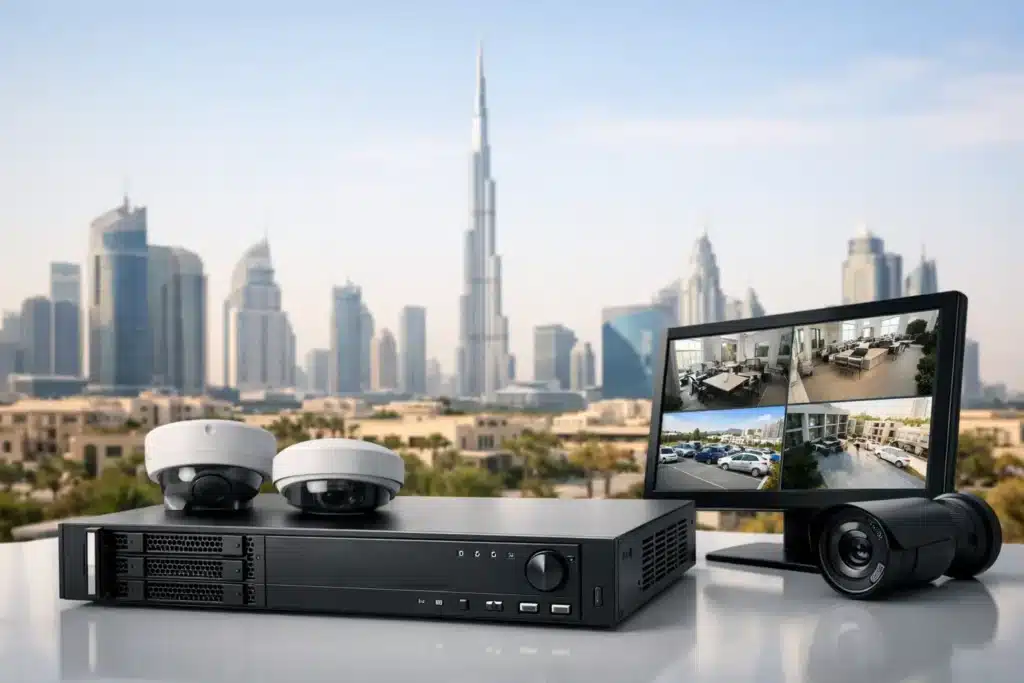
A recorder can be the strongest or weakest point in a CCTV system. Cameras may capture clear images at the perimeter, loading bay, cashier area, or warehouse aisle, but that evidence has little value if the recording is incomplete, difficult to retrieve, or rejected during inspection. This network video recorder review focuses on what commercial and industrial operators should assess before approving an NVR for a new installation or upgrade.
For facilities in Dubai, Abu Dhabi, and Sharjah, the decision is not simply about buying the recorder with the largest hard drive. The NVR must match camera count, image resolution, retention requirements, network capacity, user access needs, and applicable authority standards. Correct specification at the design stage prevents storage shortages, playback failures, and expensive corrections later.
What an NVR Actually Controls
A network video recorder receives video streams from IP cameras over the local network, records them to internal storage, and provides live viewing and playback through a monitor, workstation, or authorized mobile device. Unlike older analog DVRs, an NVR is designed for network cameras and can support higher resolutions, advanced analytics, audio where permitted, and centralized management.
Its role goes beyond saving footage. The recorder determines how many cameras can record at once, what image quality is retained, how long footage remains available, and whether operators can find an incident quickly. In a warehouse, that may mean verifying a pallet handover. In a retail site, it may mean investigating a transaction dispute. At a controlled facility, it may mean producing footage in the required format and timeframe for an authority or insurer.
Network Video Recorder Review: The Checks That Matter
A meaningful NVR review starts with the site design, not a product brochure. A 32-channel recorder may appear suitable for a site with 24 cameras, for example, but channel count alone does not confirm it can process 24 high-resolution streams at the selected frame rate.
Incoming Bandwidth and Recording Throughput
Every NVR has a maximum incoming bandwidth. This is the total volume of video data it can receive from cameras at one time. If the combined camera bitrate exceeds this limit, the system may reduce performance, drop frames, or fail to record all streams as intended.
A facility using 4MP or 8MP cameras at entrances, vehicle gates, and cash-handling areas needs more capacity than a site using lower-resolution cameras in low-risk internal corridors. H.265 compression can reduce storage and network demand, but it does not remove the need to calculate actual bitrate. Scene activity, lighting changes, camera settings, and frame rate all affect the result.
Do not accept a design based solely on “up to” figures. Ask for the planned bitrate per camera, the total incoming bandwidth, and the NVR’s stated capacity. This creates a clear technical record before installation begins.
Storage Retention Is a Calculation, Not a Guess
Storage is the most common area of under-specification. The required number of days depends on the site type, authority requirements, operational risk, and the recording method. Continuous recording provides a complete timeline but requires more disk space. Motion-based recording saves capacity in quiet areas, yet it can miss context if settings are poor or the scene has inconsistent activity.
Retention also changes when cameras are added or settings are increased. A system designed for 30 days at 2MP may not achieve the same retention after cameras are upgraded to 4MP. The hard drives themselves matter as well. Surveillance-grade drives are built for sustained recording workloads; standard desktop drives are not a reliable substitute for a business-critical recorder.
Specify the retention period in writing, then verify it during commissioning. Operators should confirm that footage from the earliest required date is still available and playable, not merely that the NVR displays an estimated storage figure.
Channel Capacity Should Allow for Expansion
Selecting an NVR with exactly the same number of channels as the current camera count can create an avoidable problem. Additional cameras are often needed after handover when a site identifies blind spots, changes a loading layout, adds a tenant, or expands operations.
A reasonable allowance for future cameras protects the initial investment. The right margin depends on the facility. A small retail location may need only limited capacity for expansion, while a logistics yard or mixed-use development may benefit from a recorder platform that can grow with phased construction. Expansion also requires available PoE capacity, network switch ports, storage headroom, and licensing where applicable.
Playback Speed and Evidence Retrieval
Footage is only useful when staff can retrieve it under pressure. NVR interfaces vary widely in how easily users can search by time, camera, event, or smart detection. A system that requires operators to scroll through hours of video after every incident wastes time and can delay a response.
Test playback before sign-off. Search multiple cameras at once, export a short incident clip, confirm the export can be played on an authorized computer, and verify that date, time, and camera identification are correct. If the system uses people, vehicle, line-crossing, or intrusion analytics, test those functions under real site conditions rather than relying on a demonstration environment.
Compliance Cannot Be Added at the End
For regulated premises, an NVR is part of a complete compliance design. Camera positioning, resolution, retention, recording health, time synchronization, monitor arrangement, cable infrastructure, and documentation can all affect approval. Installing a technically capable recorder does not correct a camera coverage plan that fails to meet the applicable standard.
SIRA-approved CCTV projects in Dubai, Abu Dhabi compliance-driven installations, and Sharjah Police requirements may have different expectations based on the business category and risk profile. The practical approach is to confirm the relevant requirements during the survey and system-design stage. This avoids a last-minute situation where the recorder lacks the required capacity or the control room layout must be changed after installation.
A qualified contractor should manage the approval pathway alongside the technical work: survey, design, equipment selection, installation, testing, documentation, and authority coordination. ALNAJAH ALAWAL applies this approach so the NVR is specified as part of an approved system, not treated as an isolated hardware purchase.
Reliability Depends on More Than the Recorder
An NVR can be correctly sized and still fail to protect the operation if supporting infrastructure is neglected. Power interruptions, overheating, poor-quality network switches, inadequate UPS backup, unstable internet connections, and unprotected equipment rooms can all interrupt recording.
The recorder should be installed in a secure, ventilated location with controlled access. A UPS should support orderly operation during short power events and allow equipment to shut down correctly during longer outages. For sites with remote monitoring, internet bandwidth should be planned separately from local recording. Remote viewing does not replace local storage, and excessive remote streams can affect network performance if not managed properly.
Cybersecurity also deserves attention. Change default credentials, create individual user accounts, restrict permissions by role, update firmware through a controlled process, and separate surveillance equipment from general office traffic where the network design permits. Remote access should be authorized and traceable. Convenience should not create an uncontrolled path into a security system.
When a Lower-Cost NVR Is the Wrong Choice
Lower-priced recorders can be appropriate for small, low-risk sites with limited cameras and modest retention requirements. They become a poor decision when the system supports regulated operations, large camera counts, high-resolution recording, multiple users, critical incident investigations, or future expansion.
The trade-off is not simply purchase price versus premium hardware. It is purchase price versus rework, lost footage, downtime, inspection issues, and the cost of replacing an undersized recorder before its expected service life. For a warehouse, hotel, industrial site, or commercial building, the NVR should be selected for the real operating condition, including peak activity and planned growth.
Questions to Ask Before You Approve the NVR
Ask the installer to confirm the number of cameras, resolution, frame rate, compression settings, total incoming bandwidth, storage days, disk type, UPS coverage, and remaining capacity for expansion. Also ask how recording failures are detected, who receives alerts, how footage is exported, and what maintenance support is available after handover.
These questions turn an NVR purchase into an accountable system decision. They also make it easier for facility teams to compare proposals that may look similar on paper but differ significantly in recording capacity and compliance readiness.
The right NVR should work quietly in the background until the moment you need proof. Specify it properly, test it thoroughly, and maintain it consistently. That is how a CCTV system stays compliant, stays protected, and remains useful when an incident demands answers.