

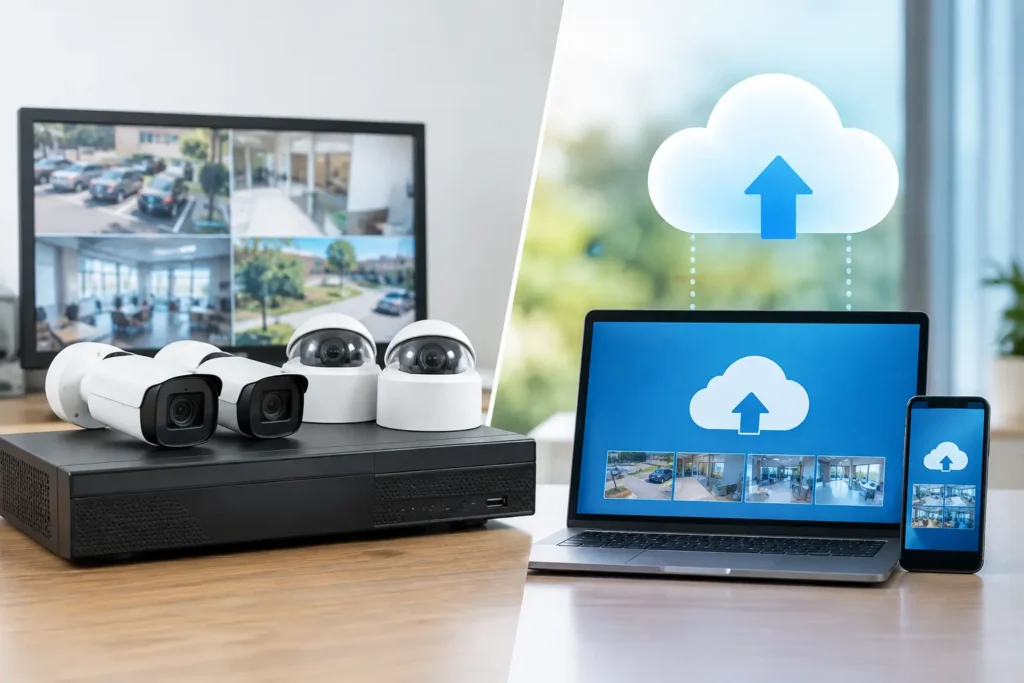
A missing recording after an incident is rarely caused by the camera itself. More often, the issue is where footage was stored, how long it was retained, who could access it, and whether the system kept recording during a network failure. That is why the NVR versus cloud storage decision should be made during CCTV system design, not after installation.
For warehouses, retail sites, labor accommodations, industrial facilities, hotels, and commercial buildings, storage is an operational and compliance decision. The right option must support the required retention period, protect evidentiary footage, fit the available network infrastructure, and remain manageable long after handover.
NVR Versus Cloud Storage: The Core Difference
An NVR, or network video recorder, stores footage locally on hard drives installed at the site. IP cameras send video through the local network to the recorder, where it is retained for a defined period. Authorized users can view live and recorded footage locally or remotely, subject to network configuration and access controls.
Cloud storage sends camera footage, or selected footage, to remote data centers through an internet connection. Depending on the platform and subscription, it may store continuous video, event-triggered clips, snapshots, or a combination of these. Users typically access the system through a web portal or mobile application.
Neither model is automatically better. An NVR gives a facility direct local control and predictable high-volume recording. Cloud storage can simplify remote access, off-site resilience, and administration across multiple locations. The correct choice depends on the site’s risk profile, camera count, recording requirements, internet reliability, and authority obligations.
Why Local NVR Storage Remains the Standard for Many Sites
For large CCTV installations, an NVR is often the most practical primary storage method. Cameras record over the local network, so continuous high-resolution footage does not have to travel over the internet before it is saved. This matters when a site operates dozens or hundreds of cameras, uses 4K coverage, or requires 24/7 recording in loading bays, production areas, perimeter zones, and public access points.
Local recording also continues when the internet connection is interrupted. Remote viewing may be temporarily unavailable, but the NVR can keep recording as long as the cameras, network switches, and recorder have power. With properly specified UPS backup, the system can ride through short power interruptions as well.
NVR systems provide strong control over retention. Storage capacity is designed around camera quantity, resolution, frames per second, compression method, recording schedule, and the number of days required. This allows the project team to calculate capacity before procurement rather than relying on a monthly storage estimate that may increase as cameras or video quality are added.
For compliance-led installations, local recording can also make inspection, maintenance, and evidence retrieval more straightforward. The recorder is known, documented, physically secured, and tested as part of the site handover process. That said, local storage must be installed correctly. An exposed recorder in an unsecured room creates a single point of failure, particularly if an intruder can damage or remove it.
Where NVRs Need Careful Planning
An NVR is not a fit-and-forget appliance. Hard drives have a service life and must be monitored. The recorder needs suitable ventilation, a secured cabinet or IT room, surge protection, backup power where required, and a maintenance plan. RAID or redundant storage may be appropriate for higher-risk environments, but it does not replace proper backups or hardware health checks.
Remote access also requires disciplined configuration. Weak passwords, unnecessary open ports, and unmanaged user permissions can turn a useful operational tool into a cybersecurity risk. Access should be role-based, logged, and reviewed when staff responsibilities change.
When Cloud Storage Makes Operational Sense
Cloud storage is especially useful for businesses managing multiple smaller sites, temporary facilities, distributed retail branches, or locations without a dedicated security room. It can centralize access for regional managers and security teams, reducing the need to visit each site to retrieve footage or check recorder health.
Off-site storage is its central advantage. If a local recorder is damaged by fire, theft, flooding, or deliberate sabotage, footage that has already uploaded to the cloud may remain available. For vulnerable entry points, cash handling areas, remote yards, and critical assets, this can provide valuable resilience.
Cloud platforms can also reduce some on-site hardware responsibilities. There may be fewer local storage devices to manage, and software updates are often handled by the service provider. For a small site with limited cameras and reliable high-speed internet, this can be a simple and effective model.
However, cloud recording is not free from infrastructure requirements. Continuous video uploads consume considerable upstream bandwidth. A site may have fast download speeds but insufficient upload capacity for several high-resolution cameras. If the connection is unstable, cameras may lower quality, upload only selected events, buffer footage locally, or fail to transfer recordings until service is restored. The exact behavior must be confirmed before deployment.
Cloud Costs Can Change With the System
Cloud storage usually operates on a recurring subscription model, often calculated per camera and by retention duration. This can make budgeting easy at the start, but the monthly cost grows as cameras, retention days, resolution, or analytics features are added.
Organizations should also confirm who owns the recorded data, where it is hosted, how quickly footage can be exported, and what happens if the subscription expires or the provider changes its platform. These questions matter when footage may be needed for an investigation, insurance claim, disciplinary process, or legal review.
Compliance Comes Before Storage Preference
In regulated projects, storage architecture cannot be selected solely because it is convenient or low cost. CCTV requirements may specify retention periods, camera coverage, recording quality, monitoring arrangements, device approvals, and documentation. A storage solution that works technically but does not meet the applicable authority requirements can delay approval and create costly rework.
For projects in Dubai, Abu Dhabi, and Sharjah, the requirements can vary by authority, building type, risk category, and use of the premises. The design should confirm the required retention period and recording method before equipment is ordered. It should also account for time synchronization, camera health monitoring, access permissions, export capability, and secure retention of recorded evidence.
Cloud storage may be acceptable in some applications, but it should not be assumed to replace an on-site recording requirement. Likewise, an NVR installation is not compliant simply because it records video. Compliance depends on the complete approved design, including camera locations, image quality, storage duration, equipment specifications, installation quality, and final testing.
A qualified contractor should review these points during the site survey and design stage. This prevents a common failure: installing cameras first, then discovering that storage capacity, equipment placement, or network design does not satisfy the project requirements.
The Hybrid Model Often Delivers the Best Protection
For many commercial sites, the practical answer is not NVR or cloud storage. It is both.
A hybrid design uses the NVR as the primary local recorder while sending selected cameras, alarm events, or critical clips to an off-site cloud platform. For example, a warehouse may retain continuous footage locally across all cameras while backing up entrances, loading docks, server rooms, and perimeter breaches to the cloud. This controls bandwidth and subscription costs while preserving off-site evidence for the areas that matter most.
Another approach uses cameras with edge storage, such as SD cards, alongside NVR recording. If a network link fails, the camera can retain footage temporarily and synchronize it when connectivity returns, subject to the system’s supported features. This is useful for remote gates, outdoor areas, and separate buildings, but it must be tested under real failure conditions.
Hybrid systems require clear responsibility for configuration and support. Teams should know which footage is stored where, how long it remains available, and how to retrieve it quickly. During an incident, uncertainty wastes time.
How to Choose the Right CCTV Storage Model
Start with the operational requirement, not the product brochure. Ask whether every camera needs continuous recording or whether event-based clips are sufficient. Consider how many days of footage must be retained, how often footage is reviewed, and whether the site can tolerate lost recordings during an internet outage.
Next, assess the infrastructure. A large facility with extensive camera coverage and limited upload bandwidth generally favors local NVR storage. A small multi-site operation with reliable internet and a need for centralized access may benefit from cloud recording. A high-risk site that cannot afford to lose critical footage may require a hybrid design with local recording and off-site backup.
Then calculate the full cost over the expected life of the system. Include recorder hardware, surveillance-grade drives, UPS protection, network switches, installation, maintenance, cloud subscriptions, bandwidth upgrades, and future expansion. The lowest initial price is rarely the lowest operational cost.
Finally, verify compliance before installation begins. For authority-regulated sites, the design, devices, retention plan, and commissioning process should align with the applicable requirements from the outset. Approved right the first time is faster and less expensive than correcting a completed installation.
The best storage decision is the one that preserves usable evidence when it is needed, supports the required approval process, and remains reliable under real site conditions. A professional site survey can identify the right balance before storage limitations become an operational problem. Stay compliant. Stay protected.