

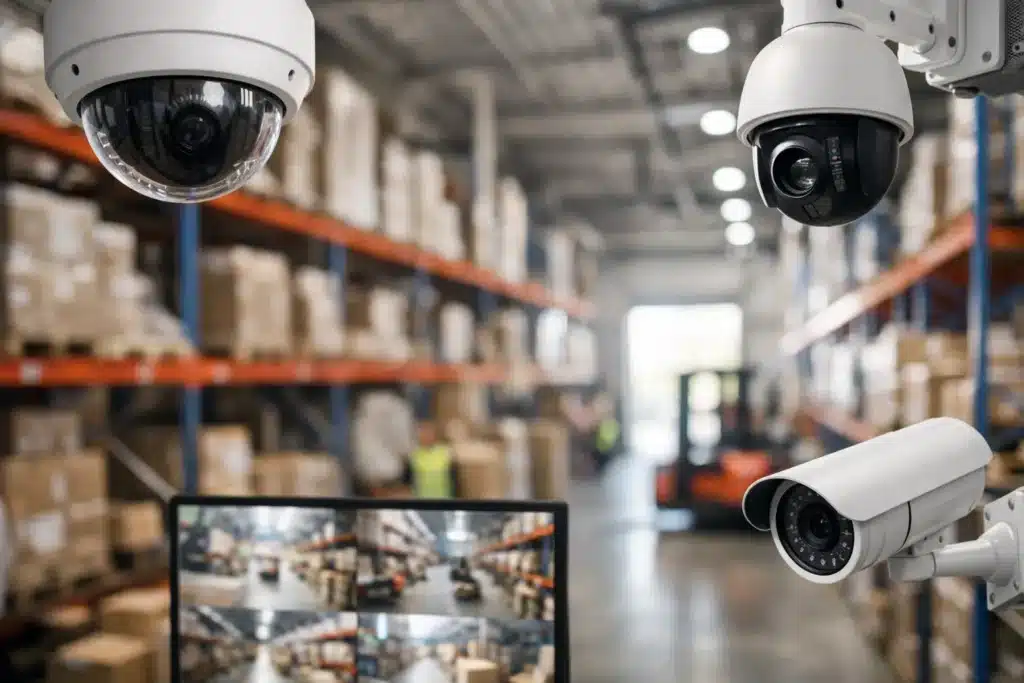
A warehouse camera plan fails long before footage is reviewed. It fails when a loading bay is visible but the truck handover point is not, when aisle cameras cannot identify a pallet movement, or when a bright dock door turns every face into a silhouette. The best warehouse camera layout is not a count of cameras on a floor plan. It is a coverage strategy built around movement, risk, identification, and compliance.
For warehouse operators, logistics companies, and facility managers, the objective is clear: document what happens at critical points without creating blind spots, weak evidence, or approval delays. A properly designed system protects inventory, supports safety investigations, controls access, and gives management a reliable record when an incident occurs.
Start With Risks, Not Camera Models
The first question is not whether to install dome, bullet, or PTZ cameras. It is where losses, disputes, accidents, and unauthorized activity are most likely to occur. A warehouse has very different risk zones, and each one needs a camera position selected for a specific purpose.
Begin with a site survey that follows the actual flow of people, vehicles, goods, and visitors. Review entry routes, pedestrian doors, vehicle gates, loading docks, receiving areas, racking aisles, packing stations, dispatch counters, server rooms, and perimeter boundaries. Speak with the warehouse manager and shift supervisors. They know where forklifts reverse, where high-value stock waits, and where visibility drops after dark.
This approach prevents a common mistake: placing cameras evenly across the ceiling because the layout looks balanced. Security coverage should be risk-based, not symmetrical. A low-risk storage area may need general overview coverage, while a high-value cage or dispatch handover zone may require clear facial and transaction-level detail.
Best Warehouse Camera Layout: Build Coverage by Zone
A practical layout separates the site into functional zones and defines what each camera must capture. The same camera specification should not be used everywhere simply for convenience.
Entrances, gates, and staff access points
Every vehicle entrance and pedestrian access point should provide evidence of who entered, when they entered, and where they went next. Cameras should face approaching traffic and people, not only capture their backs after they pass through a gate.
At vehicle gates, position cameras to capture the driver-side approach where practical, vehicle condition, gate activity, and license plates when required. Plate capture needs a dedicated design. A general overview camera often cannot read plates consistently because of speed, headlight glare, angle, or distance.
Staff and visitor entrances need facial identification coverage at a controlled height and angle. Avoid mounting cameras too high above a doorway. A broad overhead view may show movement but can be poor evidence for identifying a person wearing a cap or hood.
Loading bays and dispatch areas
Loading bays are among the highest-priority warehouse zones. They combine valuable inventory, external drivers, third-party contractors, forklift traffic, and fast handovers. One wide-angle camera is rarely enough.
Use an overview camera to show the full bay and vehicle position, then add focused coverage of the dock door, loading activity, and dispatch paperwork or handover point where needed. The camera view should show whether goods moved from warehouse to truck, not merely that a truck was parked at the dock.
Lighting matters here. Bay doors create strong contrast between indoor shadows and outdoor daylight. Select cameras with suitable wide dynamic range and test views when doors are open, at night, and under artificial dock lighting. A camera that looks clear during installation can become ineffective at peak daylight or after sunset.
Racking aisles and bulk storage
Aisle coverage should follow the direction of travel and the physical structure of the racks. Cameras placed across multiple aisles may look efficient on paper, but rack uprights, pallets, and changing stock heights quickly create blind areas.
For long aisles, install cameras to look down the aisle rather than across it. This delivers better continuity of activity and reduces obstruction from shelving. Consider coverage from both ends in critical aisles, particularly where high-value goods are stored or where there are frequent picking disputes.
Camera height requires care. Mounting equipment too high provides a large overview but reduces useful identification detail. Mounting too low increases the risk of impact from forklifts, stock handling equipment, or maintenance activity. The correct position depends on ceiling height, aisle width, rack height, and the evidence requirement for that location.
Receiving, packing, and returns
Receiving and packing areas need clear views of the process, not just the room. A camera should show the condition of incoming goods, the location where cartons are opened, and the handoff between receiving personnel and inventory control.
In packing and returns areas, aim cameras at work surfaces, label application points, scales, and transfer zones where operationally appropriate. Do not place cameras where they create unnecessary privacy concerns, such as changing facilities, restrooms, or other prohibited areas. The goal is accountable operations, not indiscriminate monitoring.
Perimeter, yards, and external assets
External cameras should cover fence lines, yard gates, parking areas, generators, fuel storage, and outdoor inventory. Perimeter coverage is most effective when cameras are positioned to detect an approach before an intruder reaches a building wall or restricted door.
Night performance is essential. Assess ambient lighting, reflective surfaces, vehicle headlights, and the distance to the target. Infrared illumination can help in dark areas, but it may create glare from nearby walls, signage, or rain. In large yards, additional lighting and correctly placed cameras are often more dependable than trying to cover everything with a single long-range device.
Design for Identification, Not Just Visibility
Seeing an incident and proving what happened are different outcomes. A wide field of view may confirm that someone entered an area, yet fail to identify the person, read a carton label, or establish which pallet was moved.
For each zone, define the evidence standard before selecting the lens and camera resolution. Ask whether the camera must detect activity, observe a general event, recognize a known employee, identify an unknown person, or capture fine details. This decision determines the required pixel density, mounting distance, viewing angle, and storage demand.
Avoid relying on digital zoom to fix poor design. Enlarging a low-detail image does not create evidence that was never captured. A second focused camera is often a better investment than installing one ultra-wide camera and hoping it covers every detail.
Account for Forklifts, Lighting, and Daily Operations
Warehouses change constantly. Pallets rise and fall, temporary staging areas appear, forklifts move through aisles, and shutters open at different times. The layout must account for these operational conditions rather than assuming the building remains static.
Walk the site during active operations. Check for forklift mast obstructions, moving shutters, hanging signs, temporary stock, and areas where workers commonly stand. Test camera views under real conditions, including busy loading periods and nighttime shifts.
Network and power planning also affect camera placement. Long cable routes, unstable wireless connections, or poorly protected outdoor equipment can compromise reliability. Cameras should be supported by correctly sized recording storage, secure network infrastructure, backup power where required, and a maintenance plan that keeps lenses clean and views aligned.
Meet Compliance Requirements From the First Drawing
For facilities in Dubai, Abu Dhabi, Sharjah, and across the UAE, surveillance layout is not only an operational decision. It may also be subject to authority requirements, project-specific conditions, and approval processes. Requirements can affect camera locations, retention periods, monitoring arrangements, recording quality, signage, equipment selection, and documentation.
Do not treat compliance as a final inspection task. Bring it into the design stage, before containment work, cable installation, and camera mounting begin. Rework is expensive when an authority requests coverage of an overlooked access point or when installed equipment does not meet the required specification.
ALNAJAH ALAWAL SECURITY SYSTEMS & EQUIPMENT TRADING L.L.C. plans CCTV projects around both operational coverage and applicable SIRA, Abu Dhabi, and Sharjah approval requirements. This helps clients avoid a system that is technically installed but not ready for inspection or handover.
Validate the Layout Before Handover
A drawing is only the starting point. Before commissioning, verify every camera against the purpose assigned to it. Review live footage from each angle, test low-light performance, confirm timestamps and recording playback, and make sure critical views are not blocked by racking or equipment.
Use real scenarios. Walk a person through the entrance, move a pallet through the receiving area, position a truck at the dock, and operate a forklift in active aisles. Check whether the footage answers the questions management would ask after an incident: who was involved, what moved, which route was used, and when did it happen?
The right warehouse camera layout gives your team more than a wall of live feeds. It gives them usable evidence, safer operations, and confidence that the system will perform when a claim, inspection, or security event puts it to the test. Start with a professional site survey, and make every camera location earn its place.